Zoom Alternative for Online Tutoring: Why Tutoring Businesses Eventually Need More
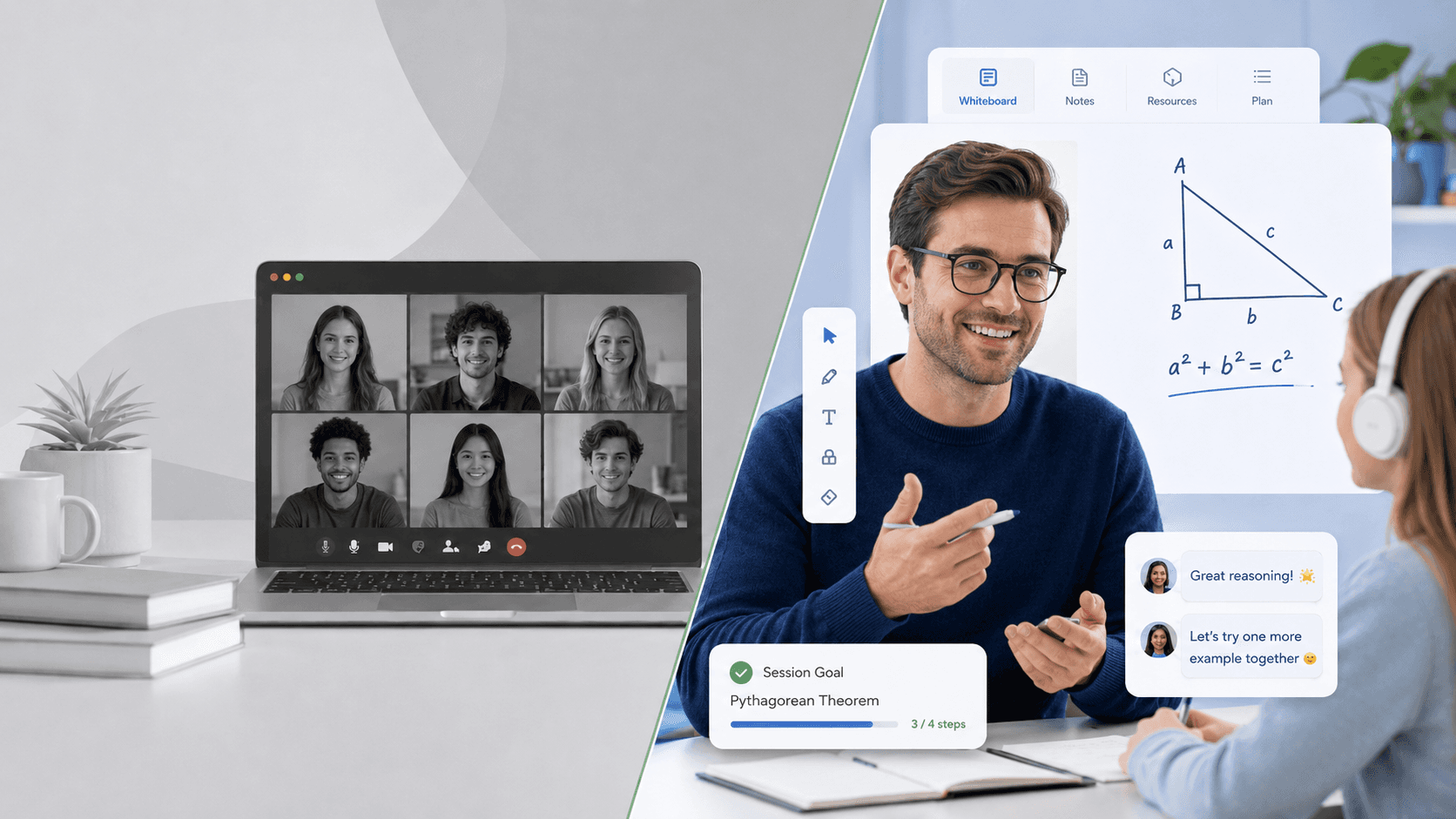
The Best Zoom Alternative for Online Tutoring: What to Look for When You Have Outgrown Generic Meeting Software
Why Zoom Became the Default
When online tutoring shifted from a niche offering to a mainstream business model, Zoom was already everywhere.
It was reliable, familiar, and required almost no onboarding. Tutors knew how to use it. Parents knew how to use it. Sessions could be up and running in minutes. For businesses trying to move fast and keep costs low, Zoom was the obvious choice.
And it worked. For a lot of tutoring businesses, it still does. There is no version of this conversation that is honest without acknowledging that.
But "it works" and "it is the right tool for where we are going" are different statements. As tutoring businesses grow past a few hundred sessions a month, the gap between those two statements starts to matter.
Where Zoom Works Well
Zoom is genuinely good at the problem it was designed to solve: getting people into a reliable video call quickly, with minimal friction.
For tutoring businesses in early stages -- a handful of tutors, a few dozen sessions a week, straightforward scheduling -- Zoom clears the bar. Video quality is solid. The interface is familiar. Breakout rooms work for small group sessions. Recording is built in.
If your operation is small, your clients are not institutional, and your reporting needs are minimal, Zoom is a reasonable place to start. The cost is low, the setup is fast, and it handles the core session delivery problem without requiring significant engineering investment.
The limitations show up later. And they tend to show up all at once.
The Operational Problems Tutoring Companies Hit
The first sign that Zoom is becoming a constraint is usually not a technical failure. It is an operational one.
Reporting gets manual. A tutoring operations manager running 1,000 sessions a month needs to know which sessions happened, how long they ran, whether the tutor showed up on time, and whether the learner was engaged. Zoom gives you a meeting report. It tells you who joined and when they left. That is not a tutoring operations report. The gap gets filled by spreadsheets, manual data entry, and an operations team spending hours every week reconstructing information the platform should produce automatically.
Quality monitoring becomes guesswork. Zoom recordings pile up faster than anyone can watch them. Without structured session data -- engagement signals, tutor talk time, learning event markers -- quality monitoring defaults to reading learner feedback and hoping problems surface before they drive churn. At scale, that hope is not a system.
Tutors operate without feedback. In a Zoom call, nothing tells a tutor that the learner has been disengaged for the last 12 minutes, or that they have been talking for 80 percent of the session, or that this is the third time this concept has been revisited without resolution. The session ends. The tutor moves on. The feedback arrives days later in a survey response, if it arrives at all.
Scheduling and session management live outside the tool. Zoom is a video call. Everything around it -- booking, reminders, cancellations, tutor assignment, payment, session notes -- has to be built or integrated separately. For small operations, this is manageable. For businesses running hundreds of tutors and thousands of sessions, the integration surface becomes a maintenance problem.
Institutional clients ask questions Zoom cannot answer. When a school district or corporate training program asks for session attendance records, learning outcome data, or compliance documentation, Zoom's exports are not enough. The data exists in fragments across meeting reports, recording files, and chat logs. Assembling it into something an institutional client can use requires manual work that does not scale.
Why Virtual Classrooms Are Different From Meetings
This is the distinction that matters most and gets explained the least.
A meeting is a conversation between participants with roughly equal roles. A virtual classroom is a structured learning environment with defined roles, pedagogical intent, and data outputs that matter beyond the session itself.
The difference is not cosmetic. It changes the architecture requirements entirely.
In a meeting, there is no meaningful distinction between a presenter and a participant beyond who happens to be sharing their screen. In a virtual classroom, the instructor has a specific permission set. The learner has a different one. A teaching assistant has another. Those roles carry different capabilities -- who can admit participants, who can manage breakout rooms, who can see engagement data, who can end the session.
In a meeting, what happened during the call is largely unrecorded in any structured sense. In a virtual classroom, what happened is a data record -- attendance, engagement, assessment responses, learning milestones -- that feeds into reporting, quality monitoring, and learner progress tracking.
In a meeting, the session ends and the tool's job is done. In a virtual classroom, the session ends and the data work begins.
Generic meeting software can approximate some of this. But approximation is not architecture. And approximation breaks down at scale.
Features Tutoring Businesses Eventually Need
The features that matter most are not always the ones that appear in product comparison tables.
Session-level data capture. Not just attendance logs. Structured learning events -- when a learner engaged, when they did not, how they responded to questions, when the session deviated from plan. This is the data that quality monitoring, tutor performance tracking, and learning analytics are built on.
Tutor performance reporting. Rebooking rates by tutor, learner engagement patterns by tutor, session quality scores over time. This requires session data captured consistently enough to build a performance model, not just individual meeting reports.
AI session summaries. After a 60-minute tutoring session, a structured summary -- topics covered, questions raised, follow-up items, learning objectives addressed -- saves tutor administrative time and produces consistent session records. This requires real-time transcription infrastructure running beneath the session, not a transcription add-on applied after the fact.
Branded session environments. When tutoring businesses sell to schools or institutions, the session environment needs to carry the platform's brand, not Zoom's. This matters in enterprise sales cycles and for client retention.
LTI and LMS integration. Institutional clients run their own learning management systems. A tutoring platform that cannot integrate with Canvas, Moodle, or Blackboard through standard LTI protocols will lose institutional deals to platforms that can.
Scalable quality monitoring. Signal-based session flagging that surfaces sessions likely to have quality problems without requiring manual review of every recording. At 5,000 sessions a month, random sampling is not quality assurance.
A Comparison Framework
When evaluating a Zoom alternative for online tutoring, the comparison should cover more than features. It should cover what the platform was designed to do.
Zoom | Virtual Classroom Software | EdTech Infrastructure Platform | |
Session delivery | Strong | Strong | Strong |
Learning event data | Minimal | Partial | Native |
Tutor performance reporting | Not supported | Basic | Built in |
AI session summaries | Add-on | Varies | Infrastructure-level |
Multi-tenant branding | Limited | Partial | Native |
LTI / xAPI integration | Not supported | Varies | Native |
Quality monitoring at scale | Manual | Partial | Systematic |
Designed for education | No | Partially | Yes |
The pattern is consistent. Zoom is strong on the left side of this table and absent on the right. Virtual classroom software fills some gaps. Purpose-built EdTech infrastructure fills them at the architecture level rather than through configuration or add-ons.
What to Look for in a Zoom Alternative for Online Tutoring
The evaluation criteria that matter most are not the ones that show up first in product demos.
Ask about session data, not just session delivery. What structured data does the platform capture during a session? Is it accessible through an API, or only through a reporting dashboard? Can you build on it, or only read it?
Ask how quality monitoring works at volume. Not in theory -- specifically. If you are running 3,000 sessions a month, how does the platform help you identify the 5 percent that need review? If the answer is manual sampling, that is Zoom with a different interface.
Ask about the AI layer and what it depends on. AI session summaries and real-time engagement detection are only as good as the underlying session data infrastructure. Ask what data the AI features are built on and whether that data is captured consistently across all session types.
Ask about integration with your existing stack. Scheduling tools, payment systems, LMS platforms, CRM systems. A zoom alternative for online tutoring that solves the session problem but creates ten new integration problems is not an upgrade.
Ask about pricing at scale. Per-minute, per-session, and per-seat pricing models all behave differently as volume grows. Understand what the cost structure looks like at 2x and 5x your current volume before you commit.
Ask about the roadmap and what it is built on. Platforms with a strong data infrastructure layer have an AI and analytics roadmap that is buildable. Platforms built on thin session data have a roadmap full of items that will require infrastructure work before they can ship.
HiLink: Built for Tutoring Businesses That Are Ready to Scale
HiLink is a purpose-built virtual classroom infrastructure platform designed for tutoring organizations and online education businesses.
The session environment covers what tutoring businesses need -- video, whiteboard, breakout rooms, scheduling, recording. But the architecture underneath is built around the data and operational requirements that Zoom does not address.
Session events are captured as structured data in real time. AI session summaries are generated at session end based on transcription infrastructure running throughout the session. Quality monitoring surfaces sessions that need review based on signal thresholds rather than random sampling. Tutor performance reporting is built on session-level data captured consistently across every session. LTI and xAPI integration handles institutional client requirements without custom development.
For tutoring businesses that have outgrown Zoom -- or are starting to see where they will -- HiLink is built for the operational reality of running education at scale, not just delivering video calls reliably.
The Bottom Line
Zoom became the default for online tutoring because it solved the immediate problem quickly and cheaply. For businesses in early stages, that remains a reasonable choice.
But the operational problems that surface as volume grows -- manual reporting, invisible quality issues, absent tutor feedback, institutional client requirements -- are not problems Zoom was designed to solve. They are not problems any generic meeting tool was designed to solve.
The right Zoom alternative for online tutoring is not the video tool with the best feature list. It is the platform built on infrastructure that produces the session data, quality monitoring, and AI capabilities that a scaling tutoring business actually needs.
That is a different evaluation than most teams run. It is also the one that determines whether the platform chosen today is still the right foundation in two years.