Why Purpose-Built Classroom Platforms Matter
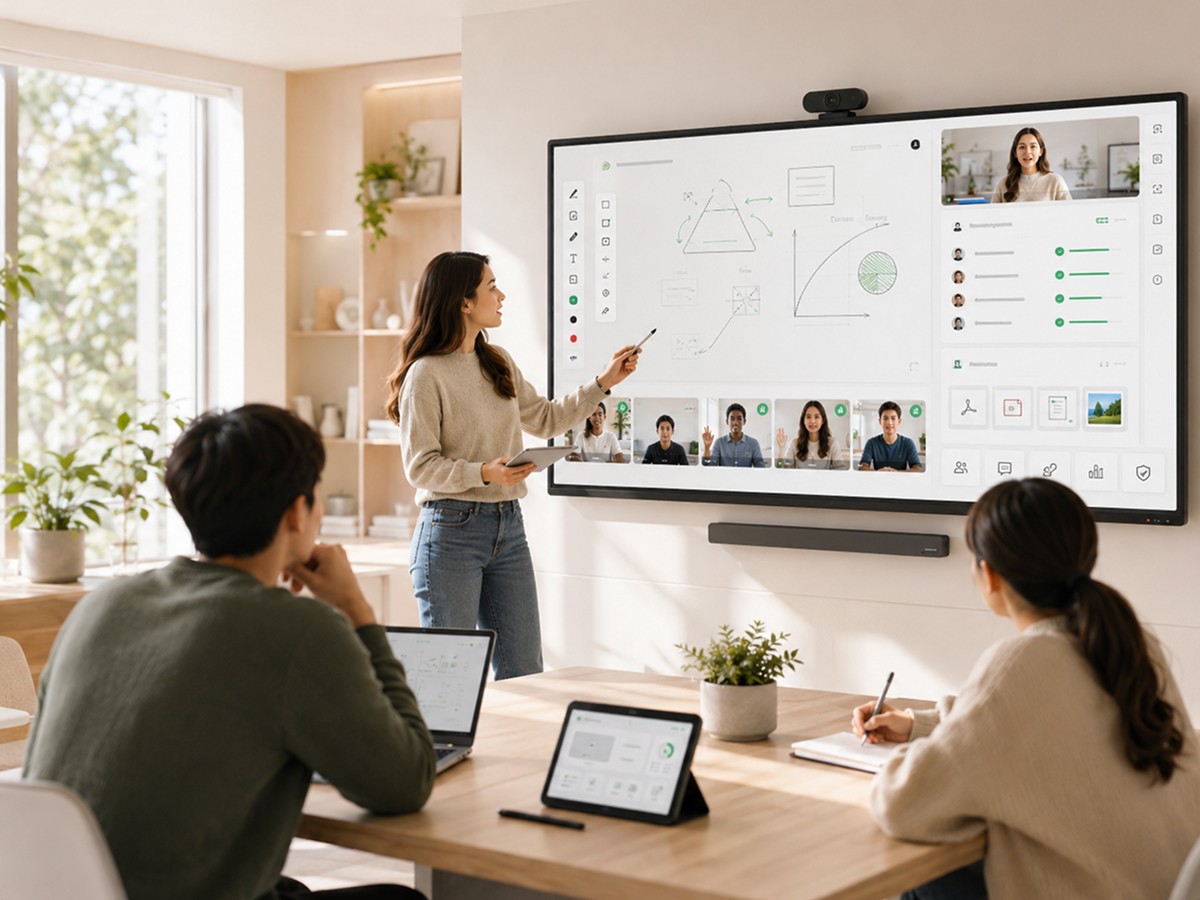
Generic communication software has transformed how people work together. Video calls, shared documents, real-time messaging -- tools built for coordination and conversation now underpin almost every kind of professional collaboration.
Education borrowed these tools enthusiastically, especially when live online learning went mainstream. The logic was reasonable: if people can have productive meetings through video conferencing, surely teachers and students can learn together the same way.
The logic was wrong. Or rather, it was incomplete.
Communication and education share a technology surface -- video, audio, shared screens -- but they have fundamentally different operational requirements. A meeting produces decisions or alignment. A class produces learning. Those are different outcomes that require different structures, different data, and different workflows to support.
Classroom platforms built specifically for education exist because generic tools, regardless of how well they handle communication, were never designed to handle the full operational complexity of teaching and learning. Understanding what that complexity actually involves explains why the distinction matters -- and why organizations that ignore it eventually feel the consequences.
Education Is Not Just Communication
The most persistent misconception in educational technology is that teaching is a form of communication, and therefore communication tools are sufficient for teaching.
Teaching does involve communication. But it also involves a structured sequence of activities designed to produce a specific kind of change in the learner -- an increase in knowledge, capability, or understanding. That sequence doesn't emerge from unstructured conversation. It's designed: a warm-up that activates prior knowledge, instruction that introduces new material, practice that requires the learner to use the material, feedback that corrects misconceptions, and a close that consolidates what was covered.
This structure exists because it works. Research on how learning happens consistently identifies active processing, spaced repetition, retrieval practice, and formative feedback as the mechanisms that produce durable retention. These mechanisms require more than a conversation. They require tools that make the learner's thinking visible, create structured opportunities for practice and response, and maintain a record of where the learner is and where they're going.
A video call provides a communication channel. A classroom platform provides a learning environment -- one that includes communication, but also includes the structured activities, the engagement tools, the data capture, and the operational systems that make education work as a sustained service rather than a one-off event.
The gap between these two is not primarily about features. It's about design intent. Video conferencing tools were designed to connect people for conversation. Classroom platforms are designed to support the delivery, management, and improvement of education. The difference in what they can do reflects the difference in what they were designed to do.
Learning Workflows vs Meeting Workflows
The workflow behind a business meeting is simple: someone schedules it, people join, discussion happens, it ends. Whatever comes next -- a decision, a follow-up task, a document -- is handled externally.
The workflow behind a learning session is more involved at every stage.
Before the session: the instructor needs context about the student's current progress and the planned curriculum. Materials may need to be staged in the session environment. The session room needs to be configured with the right tools for the planned activities. Participants need to receive reminders that actually ensure they're prepared, not just notified.
During the session: the instructor needs structured ways to check student understanding, not just ask "any questions?" Activities need to move through defined phases with appropriate tools available at each phase. What students do -- not just what they say -- needs to be visible to the instructor. The session needs to be transcribed if any downstream automation or AI features depend on it.
After the session: what was covered needs to be documented. How the student performed needs to be recorded. A communication needs to reach the parent or guardian. The next session's briefing needs to be prepared. The session record needs to update the student's progress profile.
A classroom platform is designed to support this full workflow. The session doesn't begin and end in a video window -- it begins when a student is enrolled and continues as a thread of connected learning events, each one feeding the next.
Meeting software doesn't support this because meetings don't require it. A post-meeting summary is optional. A pre-meeting brief is convenience. For a meeting platform, session data that persists across subsequent events and drives pre-session preparation is not a relevant design requirement. For a classroom platform, it's central.
The consequence for organizations using meeting software for education is that they have to build the learning workflow layer themselves, informally, outside the platform. Notes in a shared document. Context passed verbally between instructors. Parent emails written manually after each session. These workarounds work at small scale. They don't scale, and they create quality gaps that compound as the organization grows.
Student Engagement Requirements
Engagement in education has a technical meaning that's distinct from engagement in communication.
In a meeting, engagement means attention and participation in the conversation. In a classroom, engagement means active cognitive processing of the material being taught -- applying it, responding to it, retrieving prior knowledge to connect it to, making errors that get corrected. These are different activities, and supporting them requires different tools.
Classroom platforms support educational engagement through structured activities that require active student response:
Polls and comprehension checks create formative assessment moments throughout the lesson rather than only at the end. An instructor who asks three questions after explaining a concept and finds that a third of students answered incorrectly has actionable information before moving on. An instructor who asks "does everyone understand?" and receives silence doesn't.
Whiteboard and annotation tools make student thinking visible rather than just audible. When a student works through a problem on a shared whiteboard, the instructor sees where they hesitate, where they make errors, how they self-correct. That information is richer than a verbal answer and often reveals misunderstandings that a correct final answer would hide.
Breakout rooms with defined tasks and instructor monitoring enable structured small-group practice that mirrors the most effective elements of physical classroom pedagogy. The key word is structured: breakout rooms that are just unmonitored spaces for conversation are communication features. Breakout rooms where students have specific tasks and the instructor can observe each group are learning features.
These tools exist in classroom platforms because they were designed to support how learning actually happens. They exist in generic communication tools, if at all, because someone recognized the product category opportunity. The difference in design intent produces the difference in how useful they are in practice.
Engagement data captured during sessions is also a classroom-specific requirement with no equivalent in meeting software. Knowing that a particular student answered three consecutive comprehension checks incorrectly before the instructor adjusted is information that matters for the next session. Knowing that a student's participation rate has been declining across six sessions is information that matters for the organization. Meeting software has no use for this kind of persistent engagement data. Classroom platforms are built to capture, store, and surface it.
Operational Visibility and Continuity
Classroom platforms differ from meeting software most fundamentally in how they handle what happens outside the session.
Continuity is the property that makes individual sessions accumulate into learning rather than remaining isolated events. Continuity requires that each session builds on what came before: the instructor has context about the student's progress, the curriculum is tracked against a plan, gaps from previous sessions are revisited rather than forgotten.
Maintaining continuity in a high-volume online education operation requires infrastructure. Session documentation that is produced consistently, not when instructors have time. Pre-session briefings that surface relevant history automatically, not when instructors remember to look. Curriculum tracking that records coverage against plan, not in a separate spreadsheet that someone maintains manually.
Classroom platforms are designed to provide this infrastructure. The session is connected to the student's history. Documentation is generated and stored as part of how the session closes. The next session's preparation starts from the last session's record. This is architectural -- it reflects how the platform was designed, not features added to an existing product.
Operational visibility is the organizational layer of this infrastructure: the view that operations teams, instructors, and leadership need to manage quality across many students and sessions simultaneously. Which students are at risk of disengaging? Which instructors are producing inconsistent session quality? Which curriculum elements are being skipped or not landing?
These questions can only be answered if session data is being captured systematically and made accessible in aggregate form. Meeting software doesn't capture this data because meetings don't generate it in a useful form. Classroom platforms generate and capture it because managing learning outcomes across an organization depends on it.
AI and Learning Intelligence
AI in a classroom platform is integrated into the educational and operational layer -- not applied to communication features.
The difference is architectural. When a session is transcribed in real time, that transcript is the raw material for AI-powered summaries, curriculum coverage analysis, comprehension gap detection, and progress documentation. The AI has access to what it needs because the platform was designed to generate it. When AI is added to meeting software, it's working with communication artifacts -- conversation transcripts, meeting notes -- that were never designed to support educational analysis.
AI features in purpose-built classroom platforms:
Session documentation at scale. Every session generates a structured recap from the transcript, reviewed by the instructor and approved for distribution. Consistent, timely, accurate -- at the session volume of a growing education organization.
Progress pattern detection. Longitudinal analysis across session data surfaces the signals that indicate a student is struggling or at risk before they become serious problems. Earlier detection means earlier intervention.
Parent communication workflows. AI-assisted drafting of parent updates from session data, combined with automated distribution after instructor approval, makes consistent parent communication achievable without making it a manual burden.
Pre-session context generation. Structured briefs for instructors before each session, generated from session history, so instructors walk in prepared rather than reconstructing context from memory.
These capabilities require session data that is accurate, complete, and consistently structured. That data is only available in a platform designed to generate it as a default output of every session -- which is to say, a platform designed as learning infrastructure rather than communication software.
What Modern Learning Organizations Need
The case for purpose-built classroom platforms ultimately comes down to what modern learning organizations are trying to build and whether the tools they're using are designed for that purpose.
A small tutoring operation running ten sessions a week can make do with communication software. The gaps -- in documentation, continuity, engagement visibility, and operational workflow -- can be patched by the instructors and coordinators who hold the operation together informally.
A tutoring company running five hundred sessions a week cannot afford those gaps. At that scale, inconsistent documentation creates reporting failures. Absent continuity infrastructure produces student experiences that feel disconnected and drive churn. Limited engagement visibility means quality problems surface too late. Manual operational workflows consume the capacity that should be going toward students and instructors.
Modern learning organizations -- tutoring companies, online schools, EdTech platforms, corporate learning programs -- need classroom platforms designed for their operational reality: real-time engagement tools built for education, automated workflows built for learning continuity, AI built on session data rather than meeting transcripts, and operational visibility built for quality management at scale.
HiLink is built for this. As purpose-built virtual classroom infrastructure and AI-powered learning operations platform, HiLink provides the session management, engagement tooling, automated documentation workflows, operational visibility, and API flexibility that modern learning organizations need to deliver education at scale -- not adapted from meeting software, but designed from the ground up for the full operational complexity of teaching and learning.
The gap between what communication tools provide and what classroom platforms provide is the gap between an organization that works and one that scales. Purpose-built matters. The organizations that choose infrastructure matched to their actual requirements are the ones that build something durable.