EdTech Live Streaming Infrastructure: A Technical Guide for Product Teams
Introduction
Live streaming infrastructure for EdTech is not the same problem as live streaming for entertainment.
Twitch and YouTube Live optimize for one-to-many broadcast at massive scale. Latency of 10 to 30 seconds is acceptable because the interaction model is asynchronous -- chat, not conversation. Buffering is tolerable. The stream dropping for two seconds does not break the experience.
Education is different. A tutor waiting three seconds for a learner's response to land is not a minor inconvenience. It changes how the session works. A lecture where students cannot raise questions in real time is a recording with extra steps. A breakout room where participants talk over each other because audio is 400ms out of sync does not produce collaborative learning.
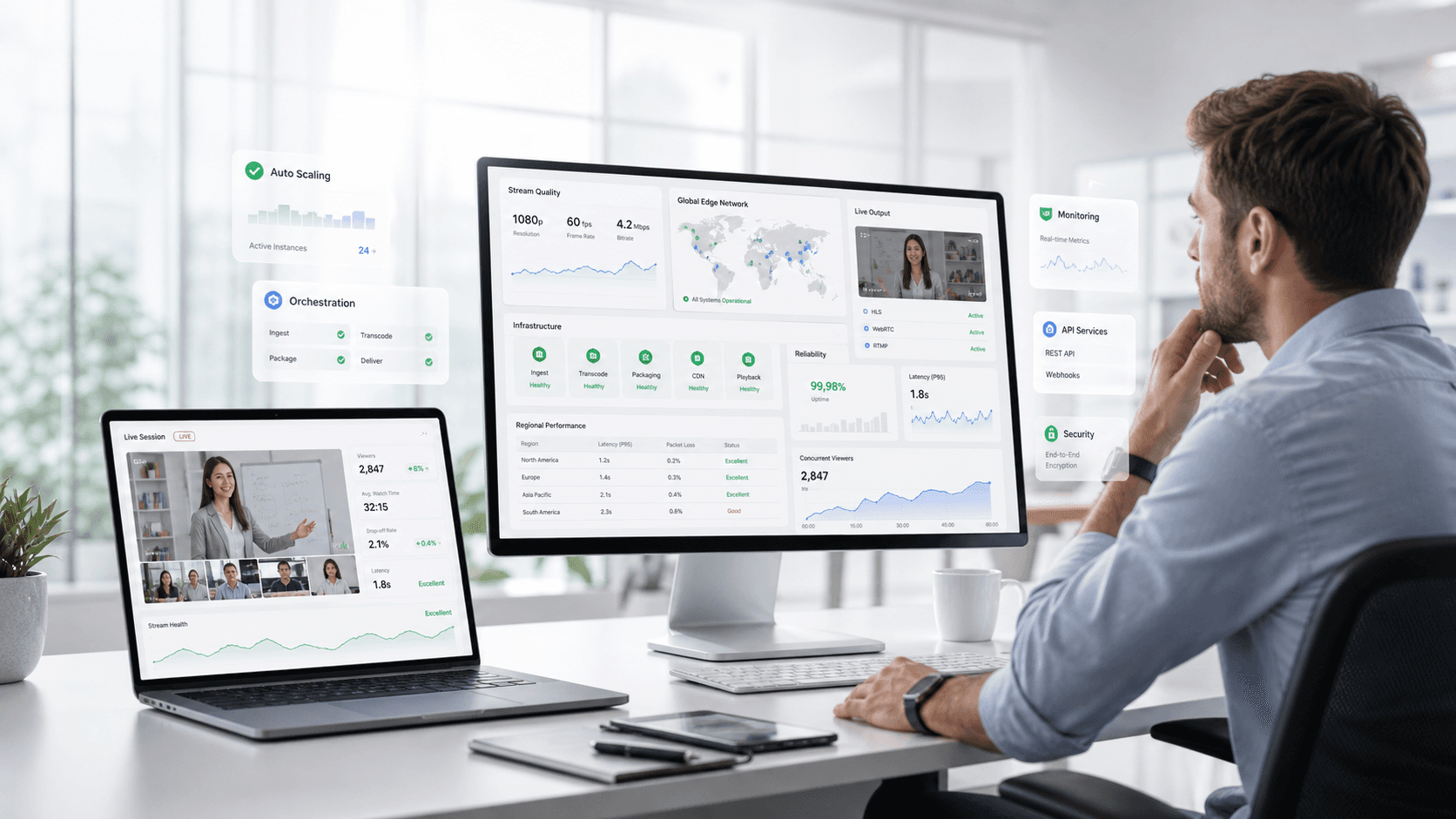
EdTech live streaming infrastructure has to solve a harder problem than broadcast streaming. Lower latency. Bidirectional communication. Session state that survives connection interruptions. Learning-specific event capture alongside the media stream. And it has to do all of that reliably across learners on wildly different network conditions, devices, and geographic locations.
This guide breaks down the core components of that infrastructure and what engineering and product teams need to evaluate when building or choosing their stack.
Component 1: The Real-Time Communication Layer
Everything in EdTech live streaming starts here. The real-time communication layer handles audio and video transmission between participants with latency low enough to support natural conversation.
WebRTC is the dominant protocol for this use case. It is open standard, browser-native, and designed for peer-to-peer real-time communication. For small sessions -- two to eight participants -- WebRTC peer-to-peer works well. Each participant sends their stream directly to every other participant. Latency is minimal because there is no intermediate server processing the media.
The problem is that peer-to-peer does not scale. At 20 participants, each sending streams to 19 others, the bandwidth requirements become unmanageable for most clients. This is where media server architecture becomes necessary.
SFU versus MCU. The two primary media server architectures for multi-participant sessions are Selective Forwarding Units and Multipoint Control Units.
An SFU receives each participant's stream and forwards it selectively to other participants without processing or mixing. Each participant still receives multiple streams and decodes them locally. This preserves individual stream quality and allows for flexible layout rendering, but puts more load on the client.
An MCU receives all streams, mixes them into a single composite stream, and sends that to each participant. Client load is low because each participant receives one stream, but the MCU is computationally expensive and mixing introduces latency.
For most EdTech use cases, SFU architecture is the right choice. It scales better, preserves stream quality, and the client-side load is manageable on modern devices. MCU makes sense for specific scenarios -- very large sessions where bandwidth is severely constrained, or legacy client environments that cannot handle multiple simultaneous streams.
Component 2: Adaptive Bitrate Streaming
A fixed-quality video stream that works on a 100Mbps connection fails on a 5Mbps connection. For EdTech platforms serving learners across diverse network environments -- which is almost all of them -- adaptive bitrate streaming is not optional.
Adaptive bitrate systems continuously monitor network conditions and adjust stream quality in real time. When bandwidth drops, the system reduces video resolution or frame rate before it drops the connection. When bandwidth recovers, quality steps back up. The learner experience degrades gracefully rather than failing abruptly.
The implementation details matter. Aggressive downscaling that kicks in at the first sign of congestion produces a jittery, constantly-shifting experience. Lazy downscaling that waits too long before reducing quality causes buffering and drops. Tuning the adaptation algorithm for education-specific session patterns -- longer steady-state periods, predictable interaction cadences -- produces better results than generic broadcast streaming configurations.
Audio priority is a related design decision. In most educational contexts, audio continuity matters more than video quality. An infrastructure layer that drops video resolution aggressively to preserve audio fidelity keeps the session productive even under severely degraded network conditions. This is a deliberate architectural choice, not a default behavior in most streaming infrastructure.
Component 3: Session State Management
This is the component that separates education-specific infrastructure from general-purpose streaming tools, and it is the one most commonly underbuilt.
Session state is everything that defines the current state of a learning session beyond the media stream. Who is in the room. What role each participant has. Which participant has presenter permissions. What the current whiteboard state is. Which breakout rooms are active and who is in each one. What polls are open and what responses have been submitted.
In a simple two-party tutoring session, state management is straightforward. In a 200-person live lecture with breakout rooms, concurrent polls, hand raise queues, and role-differentiated permissions, it is a distributed systems problem.
The failure modes are familiar to anyone who has built on top of infrastructure not designed for this. A participant reconnects after a brief dropout and rejoins a different breakout room than the one they were in. A poll closes while a participant is mid-response and their answer is lost. A presenter permission change does not propagate to all clients before the next interaction. Whiteboard state diverges between participants on different network conditions.
These failures are not catastrophic in an entertainment context. In an education context, they break the session. State management has to be built for the session complexity education actually produces, not for the simpler models general streaming infrastructure was designed around.
Component 4: Learning Event Capture
The media stream carries audio and video. The learning event stream carries everything else -- and for EdTech platforms, the learning event stream is often more valuable than the media itself.
Learning events are structured data objects emitted during a session. Participant joins and departures with timestamps. Hand raises and responses. Poll submissions. Chat messages. Whiteboard interactions. Assessment responses. Breakout room transitions. Engagement signals derived from participation patterns.
This event stream is the data foundation for everything an EdTech platform builds on top of the session -- analytics, quality monitoring, compliance reporting, AI-assisted tutoring, adaptive learning systems. Platforms that capture it cleanly and consistently at the infrastructure layer can build those capabilities. Platforms that try to reconstruct it from application logs or retrospective analysis cannot.
The engineering decisions that matter here are schema consistency, event completeness, and latency. Events need a consistent structure across session types so downstream systems can process them reliably. They need to be complete -- missing events corrupt analytics. And they need to be captured with timestamps accurate enough to reconstruct session timelines for review and compliance purposes.
xAPI is the relevant standard for learning event interoperability. A well-designed EdTech live streaming infrastructure emits xAPI-compatible events natively, which allows downstream LRS systems to consume session data without custom transformation pipelines.
Component 5: CDN and Edge Infrastructure
Latency in live sessions is a function of geography as much as bandwidth. A media server in Virginia serving a learner in Jakarta introduces round-trip latency that degrades session quality regardless of how good the local network is.
Edge infrastructure distributes media processing and delivery closer to participants. Regional points of presence reduce the geographic distance between participants and the infrastructure processing their streams. For platforms serving learners across multiple regions -- which is most EdTech platforms with any international ambition -- edge infrastructure is not a performance optimization. It is a baseline requirement for acceptable session quality.
The evaluation question for most product teams is not whether to use edge infrastructure but how much control they need over it. Managed CDN services like Cloudflare, Fastly, and AWS CloudFront handle edge delivery without requiring teams to operate their own infrastructure. Purpose-built real-time media networks -- like those operated by Agora and Twilio -- combine edge infrastructure with media server capacity in a managed offering.
The tradeoff is control versus operational complexity. Managed offerings are faster to deploy and easier to operate. Custom edge deployments offer more control over latency tuning and data routing -- relevant for compliance requirements around data residency -- but require significant infrastructure engineering investment.
Where HiLink Fits
HiLink provides EdTech live streaming infrastructure as a managed platform rather than a set of primitives teams assemble themselves.
The real-time communication layer, adaptive bitrate streaming, session state management, learning event capture, and edge delivery are built and operated as an integrated system -- designed specifically for education use cases rather than adapted from general-purpose streaming infrastructure.
For engineering teams, this means the infrastructure layer is solved. The WebRTC complexity, the SFU architecture, the state management for multi-role sessions, the xAPI-compatible event stream -- these are provided through a clean API rather than built and maintained internally. Engineering resources go toward product differentiation rather than infrastructure operation.
For product teams, it means the capabilities that depend on infrastructure -- session quality monitoring, learning analytics, AI-assisted tutoring, compliance reporting -- are buildable from the start rather than blocked on a future infrastructure project.
The alternative -- assembling EdTech live streaming infrastructure from individual components -- is tractable for teams with significant infrastructure engineering capacity. For most EdTech product teams, the build-versus-buy calculation favors a purpose-built managed platform over the ongoing cost of operating the infrastructure themselves.
The Bottom Line
EdTech live streaming infrastructure is five distinct problems: real-time communication, adaptive media delivery, session state management, learning event capture, and edge distribution. Each has its own architecture decisions, failure modes, and tradeoffs.
Getting all five right, integrated, and operating reliably at scale is a significant engineering undertaking. Teams that underestimate the complexity -- by treating EdTech streaming as a solved problem because broadcast streaming is a solved problem -- end up rebuilding infrastructure under production pressure.
The evaluation question is not which components to use. It is whether to build and operate the stack internally or build on a platform designed to handle it. That decision should be made with a clear view of what the infrastructure actually requires -- not after the first scaling failure makes the gaps visible.